
 By India VisaCategories India Visa
 India e-Visa Transfer to New Passport: Rules, Process & Tips
By India VisaCategories India Visa 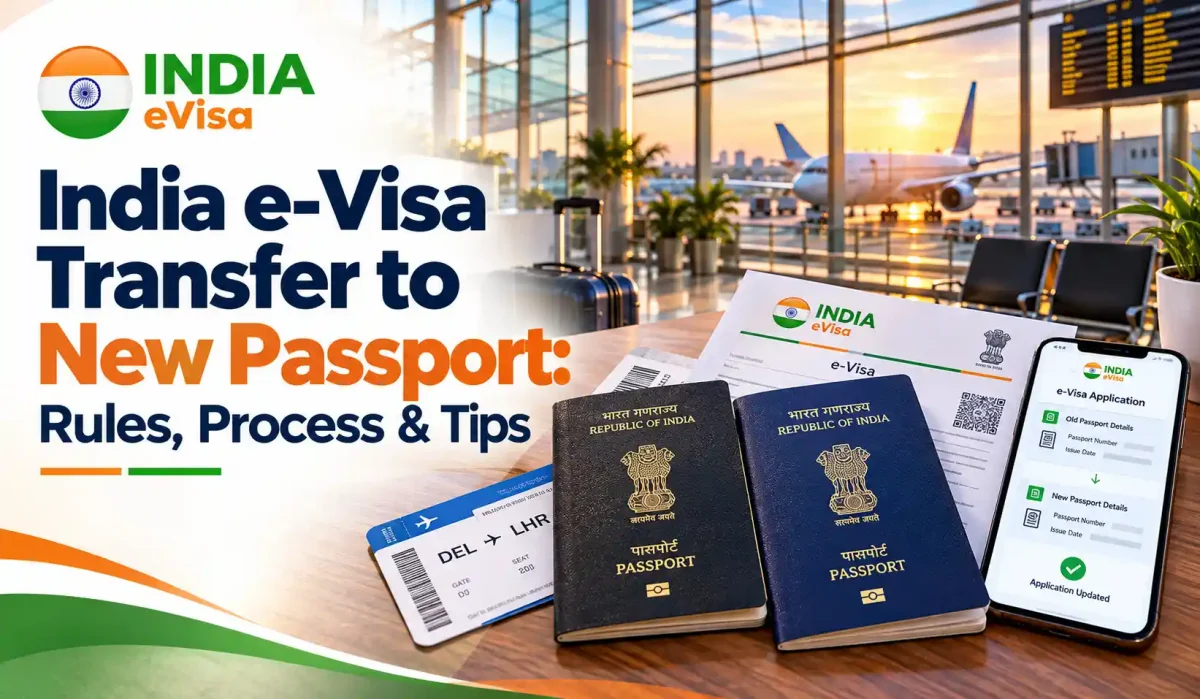
Got a new passport but still have a valid Indian e-Visa linked to your old one? You may not need to start your visa application from scratch.
The India e-Visa Transfer to New Passport process allows eligible travellers to request a transfer of their existing Electronic Travel Authorization (ETA). However, it is important to understand the official rules, prepare the correct documents, and check your visa status before travelling.
Can You Transfer an India e-Visa to a New Passport?
Yes. The Government of India provides an e-Visa/ETA transfer service for transferring an existing ETA from an old passport to a new passport.
This option is useful when your passport has expired, you have renewed it, or you have received a replacement passport while your Indian e-Visa remains valid.
According to the official Indian e-Visa website, travellers may also be permitted to enter India using a new passport if they carry the old passport on which their ETA was issued. However, requesting an official transfer can help you address the change before your journey.
Important: A passport renewal does not automatically extend your visa validity. Your existing ETA must remain valid, and you should follow the applicable transfer instructions before travelling.
India e-Visa Transfer Rules for 2026
Before starting your application, understand these essential rules.
- Your existing ETA must be identifiable: Keep your old passport number and ETA number available.
- Your new passport must have valid details: Enter its passport number, issue date, and expiry date correctly.
- Personal information must match: Your date of birth and other details should correspond to the relevant passport and ETA records.
- Transfer is for passport changes: The evisaindians.com transfer form states that if other details need to be changed, you should apply for a new visa instead of using the passport-transfer service.
- Visa validity remains important: A transfer request does not automatically renew or extend an existing e-Visa.
- Carry your old passport when required: Until your travel documents have been checked and your transfer arrangements are clear, keep the old passport and ETA accessible.
For the most reliable guidance, check the official Indian e-Visa website alongside the instructions for your transfer application.
How to Transfer an India e-Visa to a New Passport
The transfer process is completed online. Follow these steps to prepare your request.
Step 1: Gather Your Passport and ETA Details
Keep the following information ready:
- Old passport number used for your original e-Visa
- Existing ETA number
- Date of birth
- New passport number
- New passport issue and expiry dates
- Reason for requesting the transfer
Check these details against your documents before submitting the form. Even a small typing error may cause confusion or delay the review.
Step 2: Prepare the Required Documents
The evisaindians.com transfer form requests the following documents:
- New passport copy: A clear copy of the biographical page showing your photograph and personal details.
- Recent photograph: A passport-style photograph showing your full face against a light background.
The website lists JPG, PNG, and PDF formats for the new passport copy, with a maximum file size of 5 MB. Its photograph upload accepts JPG or PNG files, also with a maximum size of 5 MB.
Check the current form instructions before uploading your files, as requirements may change.
Step 3: Complete the Online Transfer Form
Visit the India e-Visa Transfer application page.
Enter your contact details, old passport information, ETA number, date of birth, and new passport details. Select the reason for the transfer and upload the requested documents.
Review every field carefully before proceeding. Your passport number and ETA number are especially important because they connect your transfer request to your existing travel authorization.
Step 4: Review and Submit Your Request
Check that your uploaded documents are clear and that all information is accurate. Read the applicable terms, privacy information, and service details before submitting your request.
If a fee applies, review the amount and payment terms displayed before you confirm. Do not assume that a transfer request is free or that payment guarantees approval.
Step 5: Check Your Transfer Status
After submitting the request, keep any confirmation or reference details you receive.
Use the e-Visa Transfer Status page to check the progress of your request, following the instructions provided by the service.
Do not assume that your transfer has been completed simply because the form was submitted. Confirm the outcome and follow any additional instructions before departure.
Documents Checklist for an India e-Visa Transfer
Use this checklist to prepare your application.
| Document or detail | Why you need it |
| Old passport number | Identifies the passport linked to your existing ETA |
| ETA number | Helps identify your existing travel authorization |
| Date of birth | Matches your application records |
| New passport copy | Provides your updated passport information |
| Recent photograph | Meets the transfer form’s photo requirement |
| New passport issue and expiry dates | Records the details of your replacement passport |
| Email address and phone number | Allows contact about your request |
Keep your old passport and original ETA confirmation available, even after submitting the transfer request.
Transfer an e-Visa or Carry Both Passports?
Travellers sometimes wonder whether they must complete a transfer or can travel with both passports. The official Indian e-Visa guidance says entry may be permitted using a new passport when the traveller also carries the old passport on which the ETA was issued.
| Situation | What to do |
| Your old passport has expired, but your ETA remains valid | Check the transfer option and the official carry-both-passports guidance |
| You have received a replacement passport | Prepare your new passport details and review the transfer requirements |
| Your ETA has expired | A transfer will not renew it; check whether you need a new visa |
| Your name or other personal details have changed | Do not assume a passport transfer is sufficient; check the applicable visa process |
| Your transfer request is still pending | Check the status and confirm the correct travel documents before departure |
The safest option depends on your circumstances and the current immigration instructions. If your flight is approaching, seek clarification from the official Indian e-Visa authorities before travelling.
Common Mistakes to Avoid During the Transfer
A little preparation can prevent unnecessary stress.
1. Entering the Wrong ETA Number
Check the ETA number against your original confirmation. Do not confuse it with your passport number or a booking reference.
2. Uploading Blurry Documents
Make sure the passport photograph and personal details are readable. Avoid cropped pages, glare, and images that hide important information.
3. Assuming the Transfer Renews Your Visa
A passport transfer and a new visa application are different processes. Always check the existing ETA’s validity.
4. Waiting Until the Last Minute
Submit your request with enough time to address possible questions or document issues. Do not rely on an unconfirmed processing estimate or assume approval will arrive before your flight.
5. Travelling Without the Old Passport
If you are relying on the official carry-both-passports arrangement, bring the old passport containing your original ETA as well as your new, valid passport.
Practical Example: A Traveller from the USA
Imagine you are travelling from New York to Delhi next month. Your five-year Indian e-Tourist Visa is still valid, but your old US passport has expired and you have received a new one.
First, check the validity of your ETA and gather the old passport number, ETA number, and new passport details. Next, review the official transfer instructions and decide whether to submit a transfer request.
If you plan to travel using both passports, confirm the current entry requirements and carry the old passport containing the ETA. Do not assume that your new passport alone will be enough.
The same general preparation is useful for travellers from the UK, Canada, Australia, and other eligible countries, although visa eligibility and individual circumstances can differ.
Final Tips Before You Travel to India
Before leaving for the airport, make sure you have:
- A valid new passport.
- A copy of your existing ETA and confirmation of its validity.
- Your old passport, if required under the applicable entry arrangement.
- Any transfer confirmation or supporting documents relevant to your case.
- Checked the latest official immigration instructions.
Remember that the final decision on entry rests with Indian immigration authorities. A transfer submission or an existing ETA should not be treated as a guarantee of admission.
Frequently Asked Questions
1. Can I transfer my Indian e-Visa to a new passport online?
Yes. The Government of India provides an online ETA transfer service. You can review the transfer requirements and submit your request through the appropriate online process.
2. Can I travel to India with my new passport and old passport?
Official Indian e-Visa guidance states that entry may be permitted with a new passport if you also carry the old passport on which the ETA was issued. Check the current rules before departure.
3. What documents are needed for an India e-Visa transfer?
The evisaindians.com transfer form requests the old passport number, ETA number, date of birth, new passport details, a recent photograph, and a copy of the new passport’s biographical page.
4. How long does an India e-Visa passport transfer take?
Processing times can vary. Check the current information provided with your application, monitor your transfer status, and avoid making travel plans based on an unconfirmed processing estimate.
Apply for Your India e-Visa Passport Transfer
Have a new passport and a valid Indian ETA? Prepare your documents, double-check your details, and review the current transfer requirements before travelling.
Apply for India e-Visa Transfer Now — submit your request online and check your status before your trip. Apply early to give yourself time to resolve any document or application issues.